
SaaS discovery is the process of finding SaaS applications that are in use across your organization, including the ones employees signed up for without IT's knowledge. When someone adopts a tool on their own (a free AI assistant, a trial they never mentioned, a personal account used for work), you have no record of what data it holds, who can reach it, or whether the login is even secure. And it's common. In one 2025 survey, 55% of employees said they'd adopted SaaS without security's involvement.
A SaaS discovery tool gives you that missing record. It shows you which apps and AI tools your team is actually using, so you can close the security gaps you couldn't see, drop the duplicate subscriptions and unused licenses you're still paying for, and keep an accurate inventory for compliance.
There are a few different ways these tools work, and the right one depends on your business. Often SaaS discovery tools deploy CASBs, network proxies, endpoint agents, or API integrations that monitor your traffic and catalog every app they find. These approaches are thorough, and for a larger organization with a dedicated security team to run them, they may be exactly what you need. Others are lighter to deploy and aimed at smaller teams that want visibility without the cost, setup, or maintenance of a full security stack.
In this post, we'll start with LastPass, a browser-based option built for small and midsize businesses, then cover the dedicated SaaS discovery platforms worth knowing if you've got a larger team or an existing security stack.
1. LastPass: a SaaS discovery tool for small and midsize businesses
LastPass is a password manager that small and midsize businesses use to store credentials securely and let their team log in through a browser extension. But unlike most password managers, LastPass can also show you which SaaS and AI tools your team is actually using, and let you control access to them.
LastPass does this through the same browser extension your team already uses to autofill passwords. There are no network proxies to route traffic through, no agents to install on every device, and no API integrations to configure and maintain. Your team keeps logging in the way they always have, and you get visibility in the background. Setup takes a few minutes: you create your account, invite your team, and everyone installs the extension.
That's what makes LastPass a fit for a business without a dedicated security team. You get the discovery most small and midsize businesses actually need (which apps are in use, how people are logging in, and whether they're on corporate or personal credentials) without standing up the kind of infrastructure a CASB or an API-based platform requires.
See what tools your team is using and set up restrictions
Our client Axxor is a good example of how LastPass works as a SaaS discovery tool, in part because of how little they had to start with, and yet they were still able to see what their team was using and bring their SaaS sprawl under control.
Axxor is a global paper honeycomb manufacturer with facilities in the Netherlands, Poland, and the US, and when Wout Zwiep joined as a Process Engineer, there wasn't a real IT department. Passwords were written on Post-its (some out on the production floor), shared informally, and saved in browsers. He made the security case for LastPass to leadership, got approval, and rolled it out across all three sites himself.

With no IT team and no security stack, Zwiep set up LastPass as a business password manager and used its SaaS Monitoring feature to discover which tools his team was using. Once LastPass was live, he could see the tools his team had picked up on their own, and a lot of them were AI tools like OpenAI and Canva that he'd had no visibility into before. Rather than shut that down, he used LastPass to manage what his team was using safely. Today he manages over 75 accounts on his own, with a clear view of the AI and SaaS usage that used to happen out of sight. (Read the full Axxor case study.)
Here's how SaaS Monitoring works. It shows you which apps your team is logging into, how they're logging in (SSO, a vaulted password, a passkey, or an unvaulted password), and whether they're using personal or corporate credentials. It works because as your team uses the LastPass browser extension, it records that activity and reports it in your SaaS Monitoring dashboard.

Above is a screenshot from a SaaS Monitoring dashboard, where you can see that four employees are using ChatGPT: two on corporate accounts and two on personal ones. You can see whether they signed up with a password or logged in with Google SSO, and when they last used it. From there, you decide what to do: approve ChatGPT as a standard tool, restrict it, or move everyone onto the corporate account.
Because monitoring rides on the extension your team already has, it runs continuously instead of handing you a one-time snapshot that's out of date the next time someone signs up for something new. And it only captures business app usage when someone is logged in with their company email in a browser that has the extension installed, so personal logins stay private.
Plus, that visibility helps with cost. When you can see every app in use, you can spot the duplicates (two teams paying for different tools that do the same job) and the licenses nobody's touched in months, then consolidate.
Once you can see what's being used, you can act on it. SaaS Protect lets you decide, app by app, what your team can reach. You can:
-
Block a tool outright: For a tool you don't want anyone using, anyone who tries to open it sees a LastPass block screen in their browser. You can customize that screen to explain why the app is blocked or point them to an approved alternative.
-
Add additional information that will pop up when someone accesses a tool. You can add a message that pops up when someone accesses a tool. For example, remind employees not to paste confidential data into a generative AI tool. Or if your company already has an account with DHL, you can set a note that appears when someone visits UPS or FedEx.
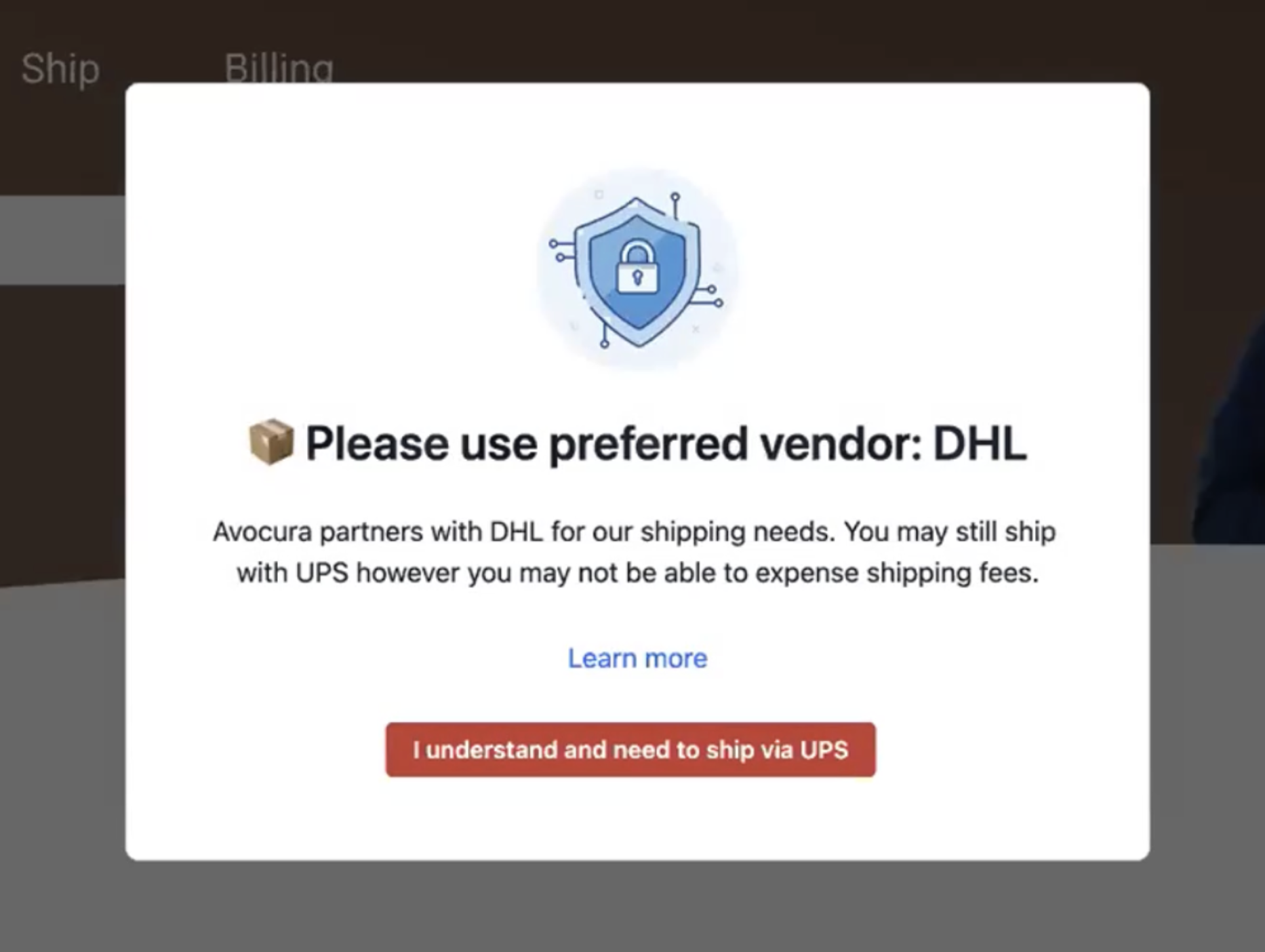
This is how Zwiep handles the AI tools his team relies on. "We don't want to block innovation, but we do want to guide it safely," he said. Someone opening a generative AI tool gets a friendly, educational warning instead of a hard block, so they understand the risk without losing the tool. For sites that pose a bigger risk, he can block them completely.
Securely store and share credentials
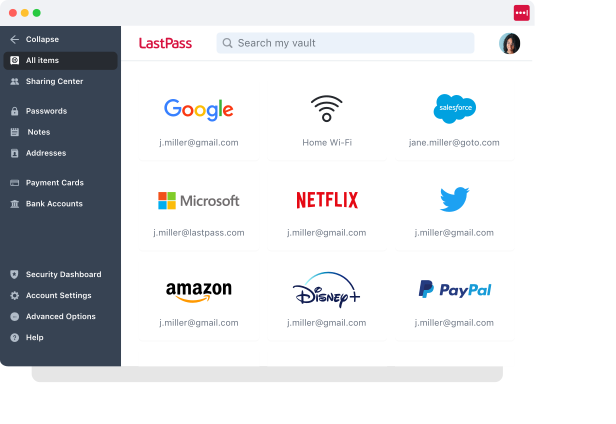
Beyond the monitoring features, LastPass handles the credential basics: storing logins, filling them in, and sharing them securely.
Every employee gets an encrypted vault for their work logins. It holds more than passwords (you can also store API tokens, Wi-Fi credentials, payment cards, and other sensitive business information), all organized into folders. The vault is encrypted locally with 256-bit AES before anything reaches LastPass's servers, and LastPass uses a zero-knowledge approach, meaning it never has access to your master password or the data inside.
Day to day, your team interacts with the vault through the browser extension (available for Chrome, Firefox, Safari, and Edge). When someone lands on a login page for a site they've saved, the extension fills in their username, password, and MFA code (when they’re using LastPass on desktop).
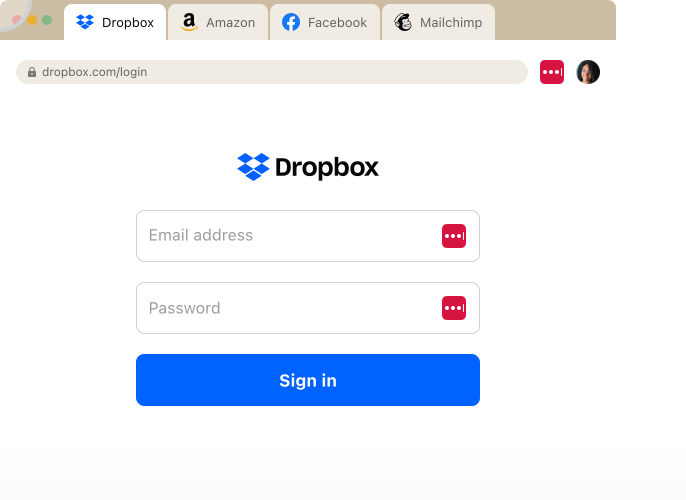
Your browser extension also handles new accounts. When someone signs up for a tool for the first time, the extension generates a strong, unique password and saves it to their vault on the spot. So as your team adopts new apps, those logins get captured in LastPass instead of scattered across browsers and sticky notes.
Sharing works the same way, through encrypted folders scoped by team, project, or role, so only the right people can see a given login. And when someone leaves or changes roles, you revoke their access from the Sharing Center. The credentials stay in the vault; the person just loses access to them, so you're not resetting every shared password to lock one person out.
Customize access with over 120 admin policies
With LastPass, you can use admin policies to set your team's password requirements, enforce MFA, control access, and restrict accounts. You have over 120 admin policies available, and you can scope each one to individual users, groups, or everyone at once, instead of applying a single blanket rule to the whole company. They're easy to enable and require no technical customization on your end, so you don't need a dedicated security specialist to manage them.
A few examples of what you can set, and how you'd use them:
-
Require MFA where the risk is highest: mandate it for your finance team before they open banking portals, without forcing the same step on everyone else.
-
Set different password rules by role: a 16-character minimum for IT staff, 12 for general employees.
-
Separate contractors from full-time staff: shorter lockout periods, tighter sharing limits, or no offline vault access on shared machines.
-
Restrict by device or location: let people skip MFA on a trusted office IP but require it remotely, or block logins from TOR networks across the whole organization.
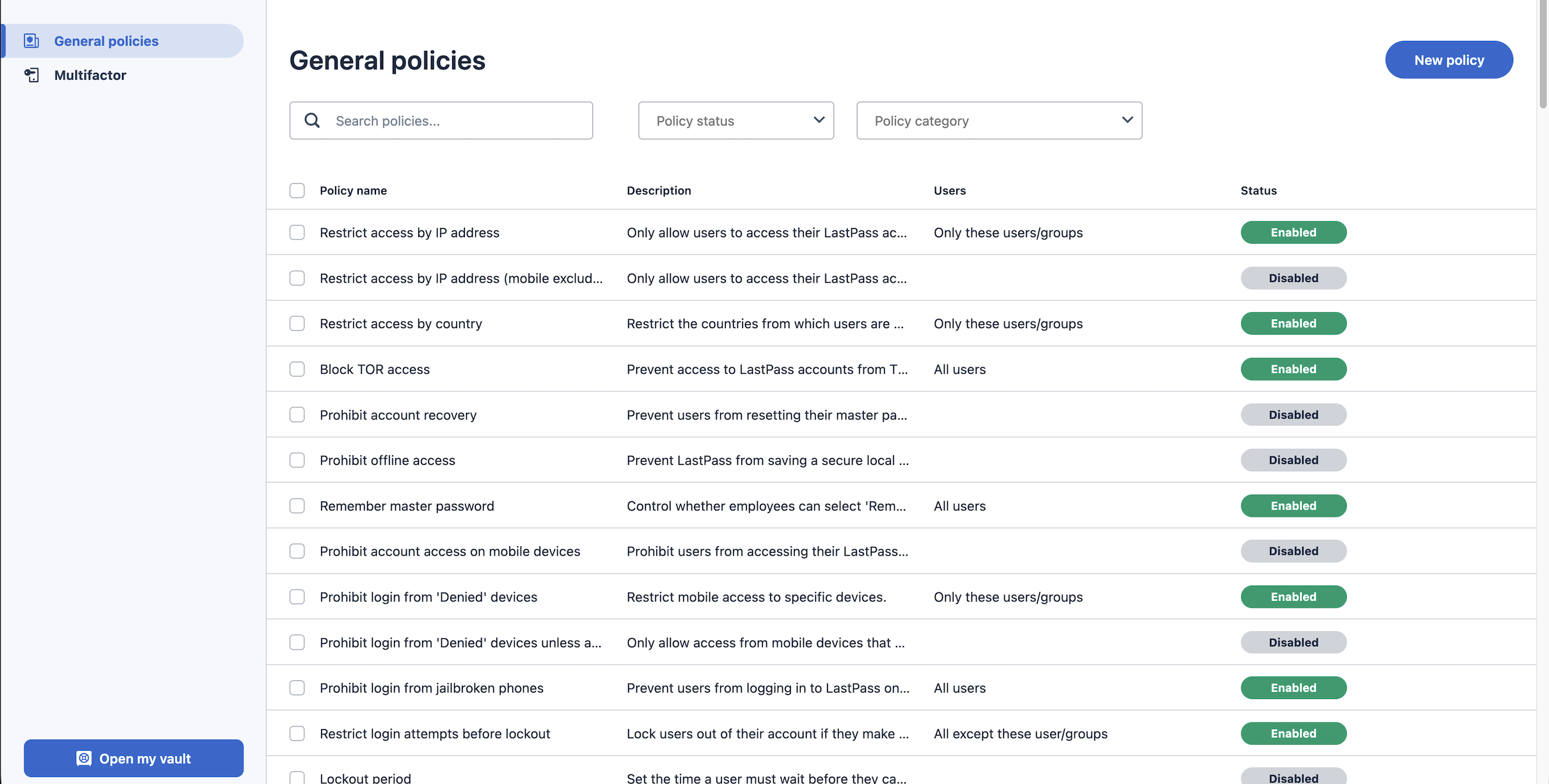
To keep this manageable, you organize people into groups (synced from Microsoft Entra, Okta, Google Workspace, or your directory), so a policy applies to everyone in a group at once. And you control who can change these policies through four admin roles (user, helpdesk admin, admin, and super admin), so your helpdesk can handle day-to-day password support without getting access to everything. Every policy change and user action is captured in exportable audit logs, so when you need to prove compliance, the record is already there.
Track adoption across your organization
Because SaaS Monitoring works through the browser extension, it can only see the tools used by people who've actually installed and are using LastPass. Someone who never enrolled is a blind spot: whatever they're signing into stays invisible. So the more of your team using LastPass, the more complete your discovery gets, and the Adoption Dashboard is how you track that.

It shows three numbers:
-
License consumption: how many of the seats you've paid for are in use. Buy 50 and use 32, and you're paying for 18 you could reclaim or reassign.
-
Enrollment rate: how many of the people you invited have activated their account. A low number tells you onboarding stalled, and exactly who still needs a nudge.
-
Active usage rate: how many enrolled users have actually used LastPass in the last 30 days. This is the one that tells you whether adoption stuck, or whether people enrolled and then drifted back to old habits.
Each number comes with an action you can take from the same screen: re-invite people who never responded, remind enrolled users who've gone quiet, or export the list to send your own message.
One thing that helps adoption happen on its own: every employee gets a free LastPass Families account (a personal vault plus five licenses to share). It gives them a reason to use LastPass for their own logins, not just the ones IT assigned, so the habit forms faster.
That combination scales. HOLT CAT, a Caterpillar heavy equipment dealer with more than 3,500 employees, filled all 2,500 of its initial seats in the first year, then expanded to 3,500 and reached 70% active adoption by year two, with employees requesting access on their own. (Read the full HOLT CAT case study.)
Start a free trial or schedule a demo
For a small or midsize business, LastPass discovers which SaaS and AI tools your team is using, lets you block, warn on, or approve each one, and secures how everyone logs in, all through a browser extension your team already uses. There's no proxy, no agents, and no API setup to stand up first.
To see how it works for your team, you can:
Other SaaS discovery tools
If you have a larger team or a dedicated security or IT function, it's worth looking at the platforms built specifically for SaaS discovery. They go deeper than LastPass does, and each takes a different approach to finding apps (through your identity provider, your finance data, or your network traffic). The tradeoff is consistent: more power and more thorough coverage, in exchange for more setup, more maintenance, and pricing aimed at organizations with the staff to run them.
2. 1Password SaaS Manager (formerly Trelica)

The closest of these to LastPass in spirit, since it comes from a password manager. 1Password SaaS Manager is part of 1Password's Extended Access Management platform, and it discovers both managed and unmanaged apps through more than 400 integrations (identity providers, finance systems, HR systems) plus a browser extension.
On top of discovery, it handles access governance, automated onboarding and offboarding, and SaaS spend. It's a genuine, well-regarded discovery platform (named a Leader in the 2026 Gartner Magic Quadrant for SaaS Management Platforms), but it's a broader IT and security tool than most small teams need, and it's aimed at organizations with people to run those workflows. If you're already a 1Password shop, it's the natural place to start.
For more information, you can:
3. Nudge Security

Nudge Security discovers SaaS and AI tools through a read-only connection to your email and identity provider (Microsoft 365 or Google Workspace), which lets it catch apps that never touched your network, including ones on personal devices. Setup is fast (minutes, with no agents or proxies), and it builds a continuous inventory rather than a one-time snapshot. Its approach to control is different from SaaS Protect: instead of blocking, it "nudges" employees toward safer behavior with automated prompts. That's a deliberate philosophy, and it works well for security teams that want to guide rather than gate, but if part of what you want is the ability to block an app outright, that's not Nudge's model. It's built and sold for security teams, though it's lighter to deploy than most tools on this list.
For more information, you can:
4. Zylo

Zylo is an enterprise SaaS management platform, and discovery is mostly in service of spend. It finds apps primarily through your financial and expense data (plus SSO), then focuses on license optimization, renewals, and cost savings across the portfolio. It's built for IT, software asset management, procurement, and finance teams at large enterprises (its customers include Adobe and Salesforce), and it's a Gartner Magic Quadrant Leader. If your main problem is that SaaS spend has sprawled across hundreds of apps and you have a team to manage it, Zylo is strong. For a small or midsize business, it's more platform (and more cost) than the job calls for.
5. Netskope

Netskope is the heaviest end of the range: a cloud access security broker (CASB) that discovers shadow IT by inspecting your network traffic (or by ingesting your logs to get started).
It risk-scores tens of thousands of cloud apps through its Cloud Confidence Index and gives you granular, activity-level control (it can tell a personal account from a corporate one, restrict specific actions rather than just block, and apply data-loss protection). It's powerful and thorough, and it's also part of a much larger security suite (DLP, ZTNA, and more), which is the catch: it has a real learning curve, it's built to be run by security engineers, and it's priced for the enterprise. It's the clearest example of the network-traffic approach we described up top, which is exactly why it's overkill for most small and midsize businesses.
If you're in that last group (a small or midsize team without a dedicated security function), this is where LastPass fits: most of the discovery these tools provide, through a browser extension you're already using, without the deployment or the price tag.
For more information, you can visit Netskope’s website.
Next steps: choosing the best discovery tool for your organization
Which SaaS discovery tool fits comes down to how each one works and what it takes to run.
Network-level tools like Netskope discover apps by inspecting your traffic and add controls like data-loss protection, but they take real setup and someone with the time to manage them. Platforms like Zylo pull discovery from your finance and SSO data and center on SaaS spend, which is worth it when you're tracking cost across hundreds of apps. Identity-based tools like Nudge Security and 1Password SaaS Manager connect to your email or identity provider to surface apps without touching your network, though they still assume someone will act on what they find. These are thorough tools, and the question is whether you have the bandwidth to deploy and maintain them.
A browser-based tool asks less of you, while still helping you discover which SaaS tools and apps your team is using. LastPass shows you which apps and AI tools your team is using, how they're logging in, and whether they're on corporate or personal credentials, through an extension your team already has, so there's little to deploy and not much to keep up with. You get most of the discovery those heavier platforms provide with a fraction of the overhead.
To see how it works for your team, you can start a free trial or schedule a demo.