
SaaS visibility is the ability to see the SaaS applications and AI tools your employees are actually using, including the ones that were never approved or vetted by IT. It's a different job from SaaS security (protecting the data inside your apps) and SaaS management (handling procurement, licensing, and renewals). Visibility comes first, because you can't secure or manage an app you don't know exists.
It’s an increasingly common practice for employees and team members to sign up for new tools, without first having their IT department vet the tool.
In one recent survey, 55% of organizations said employees adopt SaaS tools without checking with IT first. Every one of those apps is a potential security gap, a compliance question, and a line item nobody's tracking.
In this post, we'll walk through:
-
The differences between shadow IT, shadow AI, and SaaS sprawl
-
Common methods for increasing your SaaS visibility
-
How small businesses can improve their SaaS visibility
Note: LastPass is a password manager that has advanced, easy-to-use SaaS visibility features that are perfect for small to midsize businesses. To learn more, you can sign up for a free trial or schedule a demo.
Understanding shadow IT, shadow AI, and SaaS sprawl
More and more, your team reaches for new SaaS and AI tools to get their work done. Often that means signing up for something with a work email, or dropping company information into a tool your IT department never vetted and doesn't monitor. An employee spins up a free trial to hit a deadline, or pastes a client contract into an AI chatbot to summarize it. The work gets done, but there's now a work account (and sometimes company data) sitting in a tool nobody's tracking.
There are a few common terms used to describe this. Here's what each one means:
-
Shadow IT: This is any app, tool, or service your team uses for work that IT hasn't approved or doesn't know about. The defining trait is the lack of oversight, not the tool: a mainstream, perfectly good app is still shadow IT if nobody vetted it.
-
Shadow AI: This is the same idea as shadow IT but pointed at AI tools, like the chatbot summarizing that contract or an AI notetaker quietly keeping its own copy of a sales call. The concern is company data ending up in a tool you have no agreement with. Keep in mind that you don’t necessarily have to sign up for an AI tool to create shadow AI, as more and more SaaS tools are using AI in their offering.
-
SaaS sprawl: SaaS sprawl is the accumulation of all the tools your team is using, dozens of apps across the business, approved and unapproved, some redundant, many long forgotten, nearly all tied to a login on a work account. Managing your SaaS sprawl will involve identifying shadow IT and AI and mitigating the risks.
5 common methods to increase SaaS visibility (and where each one falls short)
How much you can increase your SaaS visibility depends on which tool you use to track application use. Each of the methods below pulls from a different source: your identity provider, your network, the SaaS vendors themselves, the browser, or your expense records. And each source only shows you the slice of activity that runs through it, which is why some approaches catch far more than others (and why some take far more work to run). Here are the five most common, with the tradeoff that comes with each.
-
SSO integration (Okta, Microsoft Entra, Google Workspace): Your identity provider shows you login activity for every app connected to single sign-on, so you get a solid view of your sanctioned stack. The catch is that it only sees apps wired into SSO in the first place. Anything an employee signed up for on their own never touches your identity provider, so it stays invisible, which is exactly the shadow IT you're trying to find.
-
Cloud access security brokers (CASBs): A CASB sits between your team and the internet and watches network traffic to spot which cloud apps are in use. That wide net is why it suits large enterprises, since it can surface a lot across a big, sprawling organization. The trouble is that it sees everything, not just app logins, so someone has to filter real usage out of ordinary web traffic before the data means anything. And a CASB is real infrastructure to stand up and maintain, usually with a security team behind it. For most small to midsize businesses, it's more than they need and more than they have the people to run.
-
Vendor API integrations: Connect directly to individual SaaS vendors to pull user, license, and assignment data. The catch is that vendors often withhold usage data, each integration has to be set up on its own, and it only surfaces the apps you already know about, not the ones you're trying to find.
-
Browser extensions: Capture login activity where it happens, in the browser. You see what your team is actually logging into, how they're logging in (SSO, a vaulted password, a passkey, or an unvaulted password reused from somewhere), and whether they're using personal or corporate credentials. There are no device agents, no network-level monitoring, and no complex setup. It's the lightest-weight of these approaches.
-
Expense and procurement audits: Comb through credit card statements and expense reports to find apps the business is paying for. It's a reasonable way to catch paid subscriptions, but it misses free tiers and trials entirely (which is where a lot of shadow AI starts), and it's a point-in-time snapshot rather than something that keeps watching.
No single method gives you the full picture. But if you're a small or midsize business that needs to start somewhere without a big budget or a dedicated security team, a browser extension gives you the highest signal for the least effort: real usage data, captured at the point people log in, without anything heavy to deploy.
How small businesses can increase their SaaS visibility with LastPass

LastPass is a password manager your team uses every day: they store their work logins in an encrypted vault and log in through a browser extension that autofills passwords and MFA codes in one click. Most of the day-to-day value is that simple: people stop reusing weak passwords and stop getting locked out.
But the same browser extension does something most password managers don't. Because it sees the moment someone logs into an app, LastPass can also show you which SaaS and AI tools your team is using, and give you a way to act on what it finds. Those two jobs are handled by SaaS Monitoring and SaaS Protect, and since they run through the extension your team already has, there are no device agents, no network monitoring, and nothing extra to deploy.
Monitor which tools your team is using, then set restrictions
SaaS Monitoring shows you which SaaS and AI tools your team is actually logging into. You switch it on from the admin console (a single setting, no agents to install), and from then on the browser extension logs each work app your employees log into. To protect privacy, SaaS Monitoring only records activity when someone's logged in with their company email in a browser running the extension. So you're seeing work usage, not anyone's personal accounts.

What you get back is two dashboards you can read or export:
-
The applications view groups every discovered app by category (productivity, file sharing, AI and chatbots, and so on), shows how people are logging in (a vaulted password, SSO, a passkey, or MFA), and flags trends like apps that are barely used or new ones that appeared in the last 30 days.
-
The users view shows it from the other direction: for each employee, which apps they've logged into, how, from what device and browser, and when they last logged in.
Let's say a few people in marketing have started using an AI image tool. The tool itself surfaces in the applications view under "AI and chatbot.” You can see if they’re logging in with an unvaulted personal password, and you can decide then and there whether to bring it under management, swap it for something approved, or leave it alone. Monitoring like this gives you a current picture of what's in use, instead of the guesswork and out-of-date quarterly self-reporting most teams fall back on.
By increasing your SaaS visibility, you can make strategic decisions that help you increase security and cut down on wasteful expenses.
With SaaS Protect, you can set a usage rule per app. You can block one outright, in which case anyone who tries to open it sees a LastPass screen in their browser that you've customized: a short note on why it's off-limits, or a pointer to the approved alternative. Or, for an app you'd rather guide than ban, you can show a message that warns or informs people without stopping them. And because every block and access attempt is logged, you've got the audit trail ready whether you're preparing for a SOC 2 audit or navigating HIPAA/GDPR requirements.
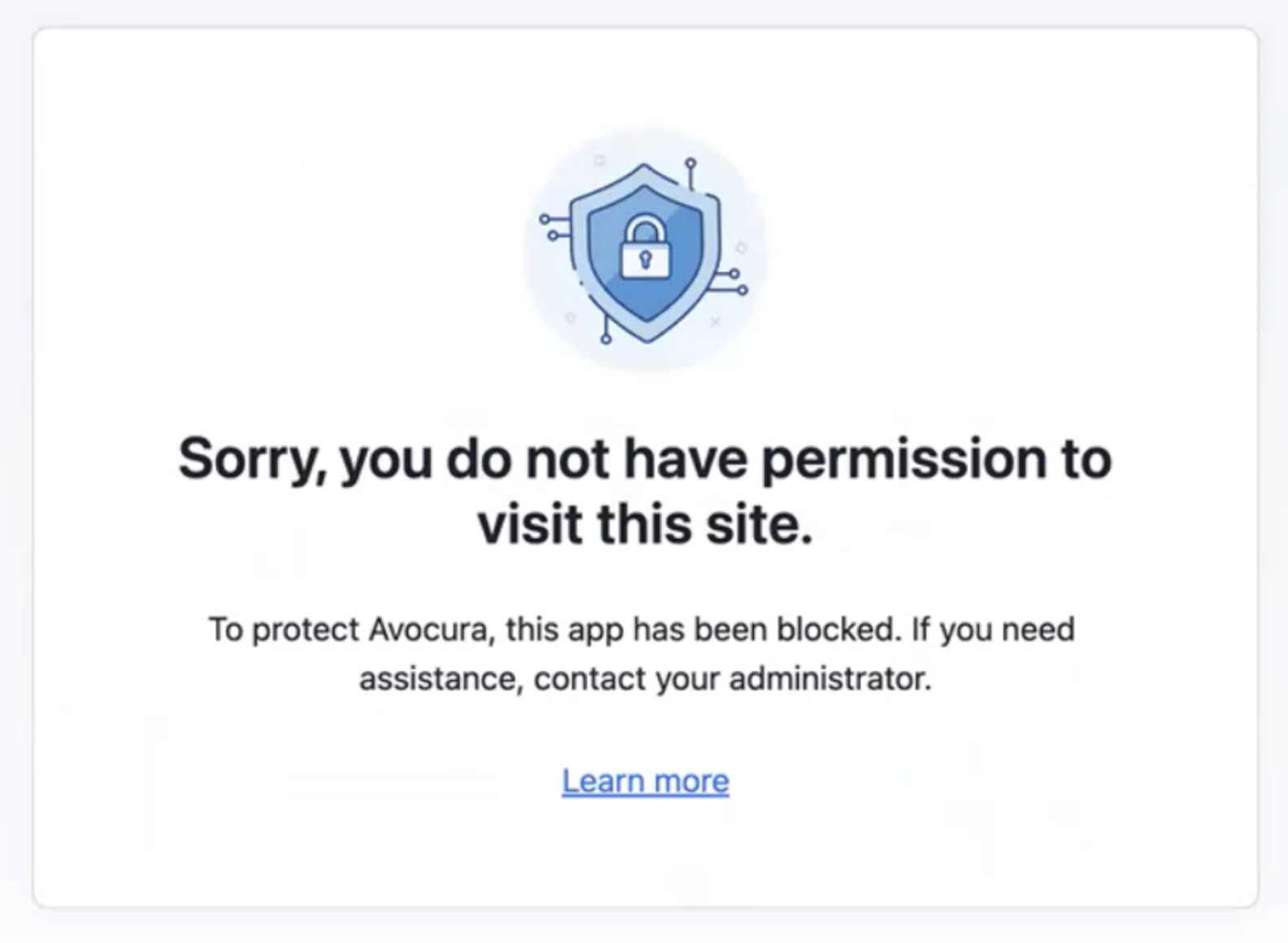
Our client Axxor is a good example of how this plays out. Axxor is a global paper honeycomb manufacturer with sites in the Netherlands, Poland, and the US, and like a lot of small businesses, it didn't have a dedicated IT department when it started with LastPass. Wout Zwiep, a Process Engineer there, used SaaS Monitoring to surface the AI tools employees had picked up on their own (OpenAI and Canva among them), then used SaaS Protect to guide that usage with friendly, educational warnings rather than hard blocks. Instead of banning the tools, Axxor could see what was genuinely useful and bring it under management. (Read the full Axxor case study.)
Increase your visibility by increasing adoption
SaaS Monitoring only sees the apps people log into through the LastPass extension. So if half your team hasn't installed it, or has it but rarely signs in through it, half of your SaaS and AI usage stays invisible. That makes adoption part of your visibility problem rather than a separate one: the more of your team that actually uses LastPass, the more of that usage it can see.
The day-to-day autofill is what drives that adoption. Logging in through LastPass is faster than typing passwords or resetting the ones people forget, so employees use it because it makes their work easier, not because they've been told to. And every login that runs through the extension is one more app SaaS Monitoring can pick up.

The Adoption Dashboard lets you track how that's going. You get three numbers at a glance:
-
License consumption: how many of the seats you're paying for are actually in use.
-
Enrollment rate: how many invited employees have activated their account.
-
Active usage: how many enrolled employees have used LastPass in the last 30 days.
Together they show you where adoption is lagging, so you can follow up with the teams that haven't onboarded instead of guessing.
Our client HOLT CAT, a Caterpillar equipment dealer with over 3,500 employees, is a good example of how far this can go. They used all 2,500 of their initial seats in the first year, expanded to 3,500, and reached 70% active adoption by year two, with employees requesting access on their own. As Tony Ledbetter, HOLT CAT's Senior IT Security Manager, put it: "The results have been absolutely remarkable, we've reduced our risk significantly and have successfully prevented any password leaks from occurring this year." (Read the full HOLT CAT case study.)
Other key LastPass features
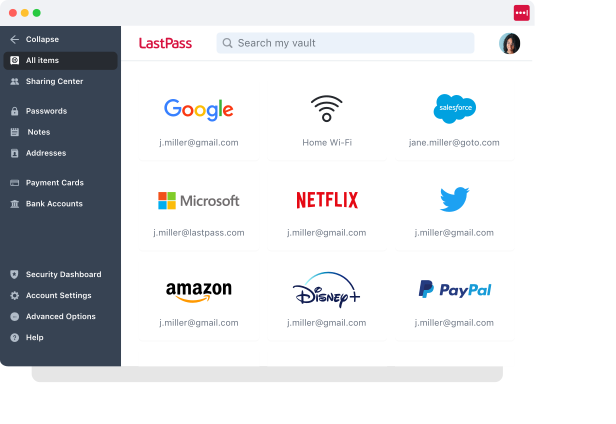
So far we've looked at how LastPass gives you SaaS visibility. It can do that because it's also a password manager for your whole team, and a few of those everyday features are worth a closer look for a business: the browser extension and mobile app your team logs in with, the admin policies that let you set rules across the company, and the Security Dashboard that flags where your credentials are weak.
The browser extension and mobile app
The browser extension (Chrome, Firefox, Safari, and Edge) is where most of the day-to-day happens. Your team's logins live in an encrypted vault (we use a zero-knowledge approach, so we never see them), and the extension fills them in for your team automatically.
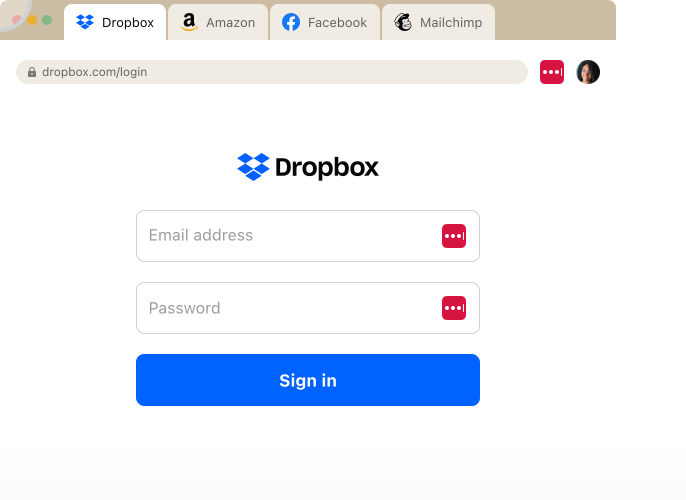
Beyond autofilling logins they already have, it generates a strong, unique password whenever someone creates a new account, so people aren't reusing the same password across tools or inventing a weak one to save time. You set the length and complexity, and the new password saves straight to the vault.
That vault works on the LastPass mobile app for iOS and Android, so someone logging into an app on their phone gets the same stored credentials and autofill they have on their laptop.
Over 120 admin policies
As an admin, you can set over 120 policies and scope them to individual users or groups, with no technical setup on your end. When you sign up, LastPass gives you a recommended set of defaults, so you're not building from scratch.

The scoping is what makes it useful for a real organization. For example, you can:
-
Require MFA for your finance team when they log into banking portals.
-
Enforce a 16-character password minimum for IT while keeping it at 12 for everyone else.
-
Set different rules for contractors than for full-time staff.
-
Block logins from jailbroken phones, or from TOR networks across the whole company.
Security dashboard
Your security dashboard gives you an overall security score across everyone enrolled. It breaks down who has weak passwords, who's reusing their master password, and whether any employee email addresses have shown up in known data breaches through dark web monitoring. You get a read on your team's credential health in one view, without ever seeing anyone's actual passwords.
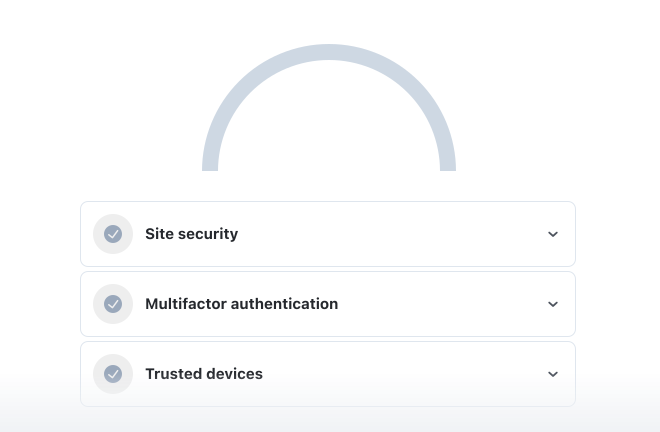
As Paul Longega, Managing Director at Love Struck, put it: "LastPass alerts us to password vulnerabilities, checks if any credentials have appeared in data leaks or on the dark web, and rates the strength of our passwords. Having that level of automated monitoring has been incredibly valuable." (Read the full Love Struck case study.)
Next steps: start a free trial or request a demo
For a small or midsize business, the practical way to get SaaS visibility is to start with what your team is already logging into. That doesn't take a CASB or a dedicated security team, just a browser extension that captures real usage without any heavy setup.
With LastPass, the same extension your team uses to autofill passwords also shows you which apps and AI tools they're logging into, lets you block or guide the risky ones, and helps you drive the adoption that makes that picture more complete.
You can learn more about LastPass by signing up for a demo or starting your free trial.